ICAO
Experience the relentless workload of a live terminal radar facility. Driven by recorded real-world flights and a realistic engine.
Step into the dark room and take on the most demanding job in aviation. Can you handle the stress?

Weather is drawn from recorded radar and satellite rainfall data. Its look doesn’t match how the real STARS or ICAO displays show weather.
Built on recorded ADS-B traffic and weather, every session puts you in the exact conditions controllers worked that day—from Center metering, STAR shortcuts, and weather deviations to actual fleet mixes and traffic banks. Work the feeder sector to sequence, vector, and space the arrival stream, play the final sector to merge base and straight-in traffic onto the localizer and compare your spacing against the real touchdown times, or work departures to climb and route outbound releases through the terminal airspace
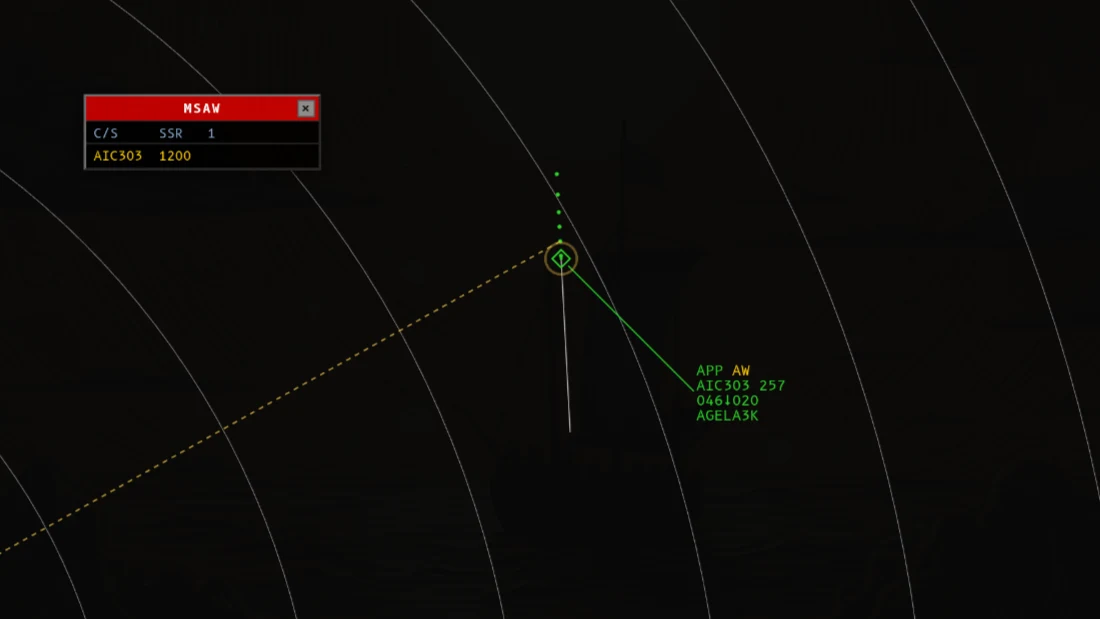
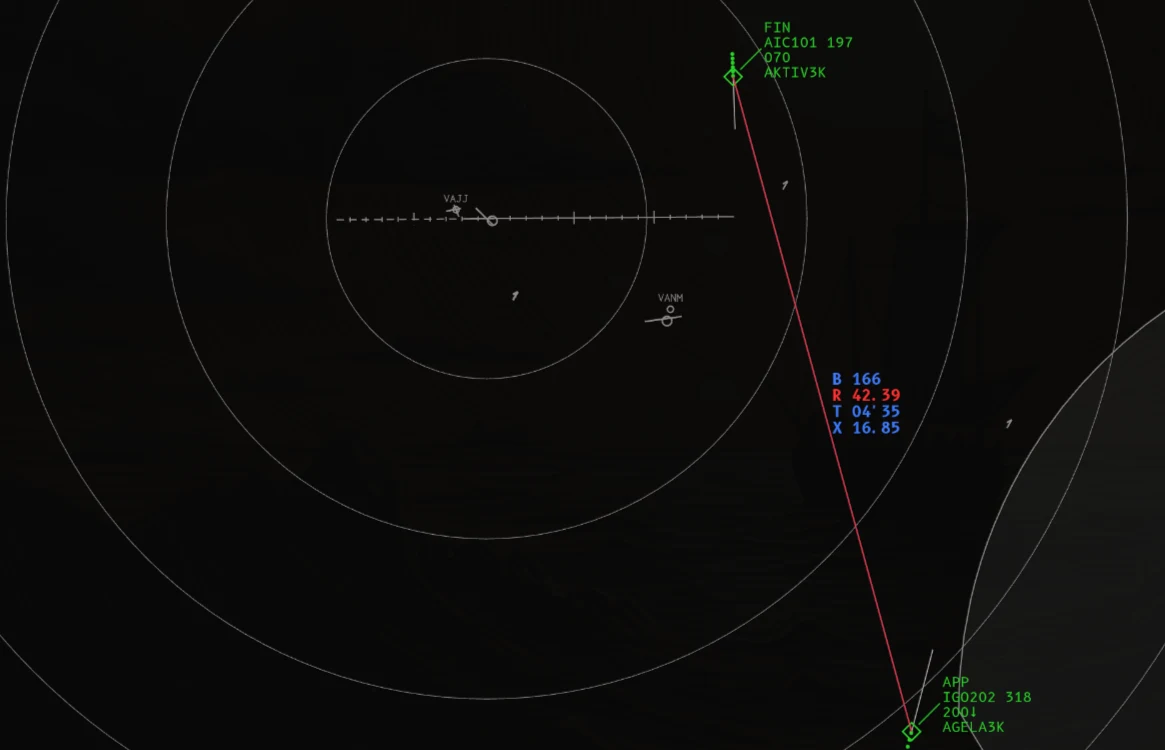
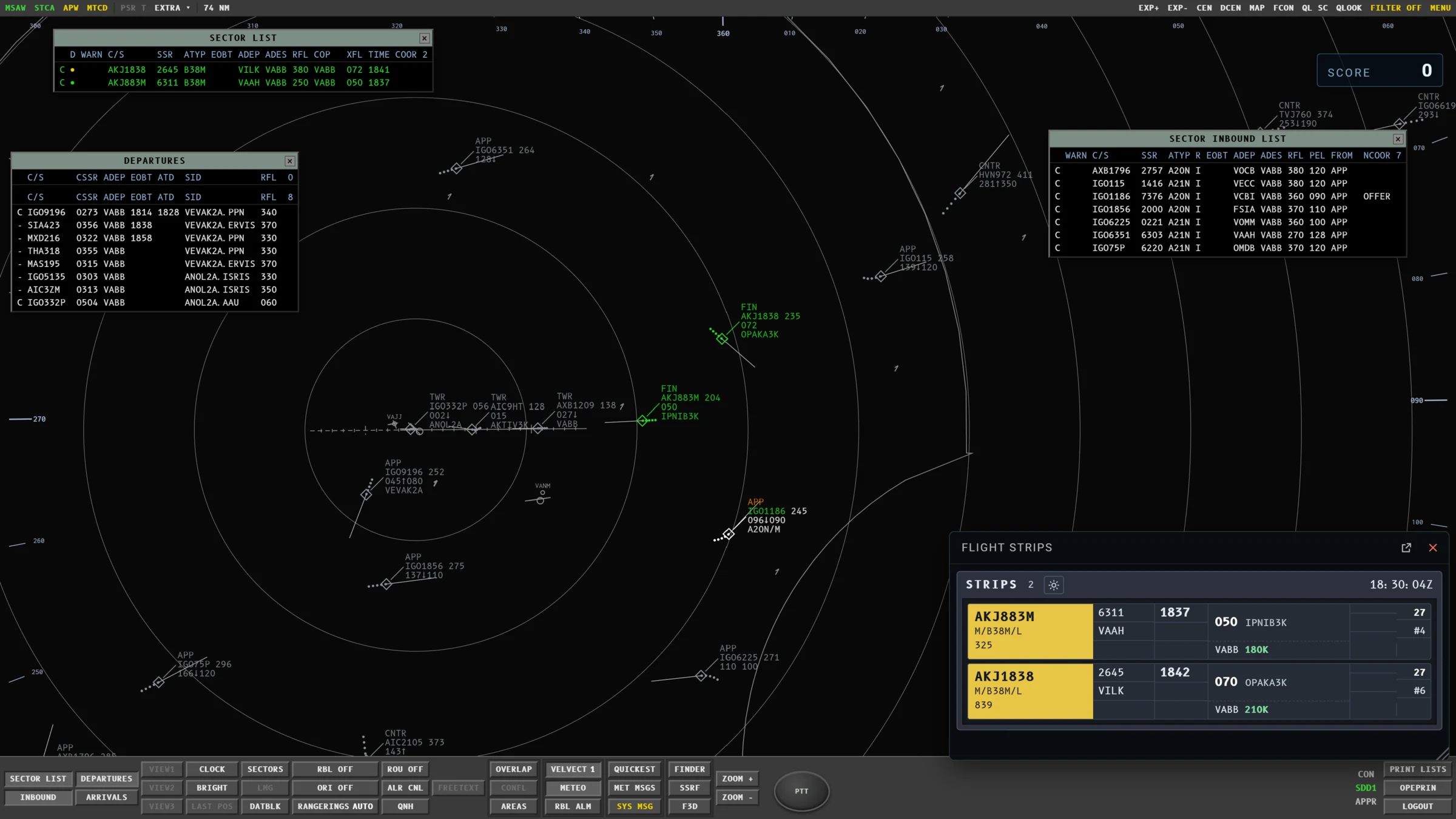
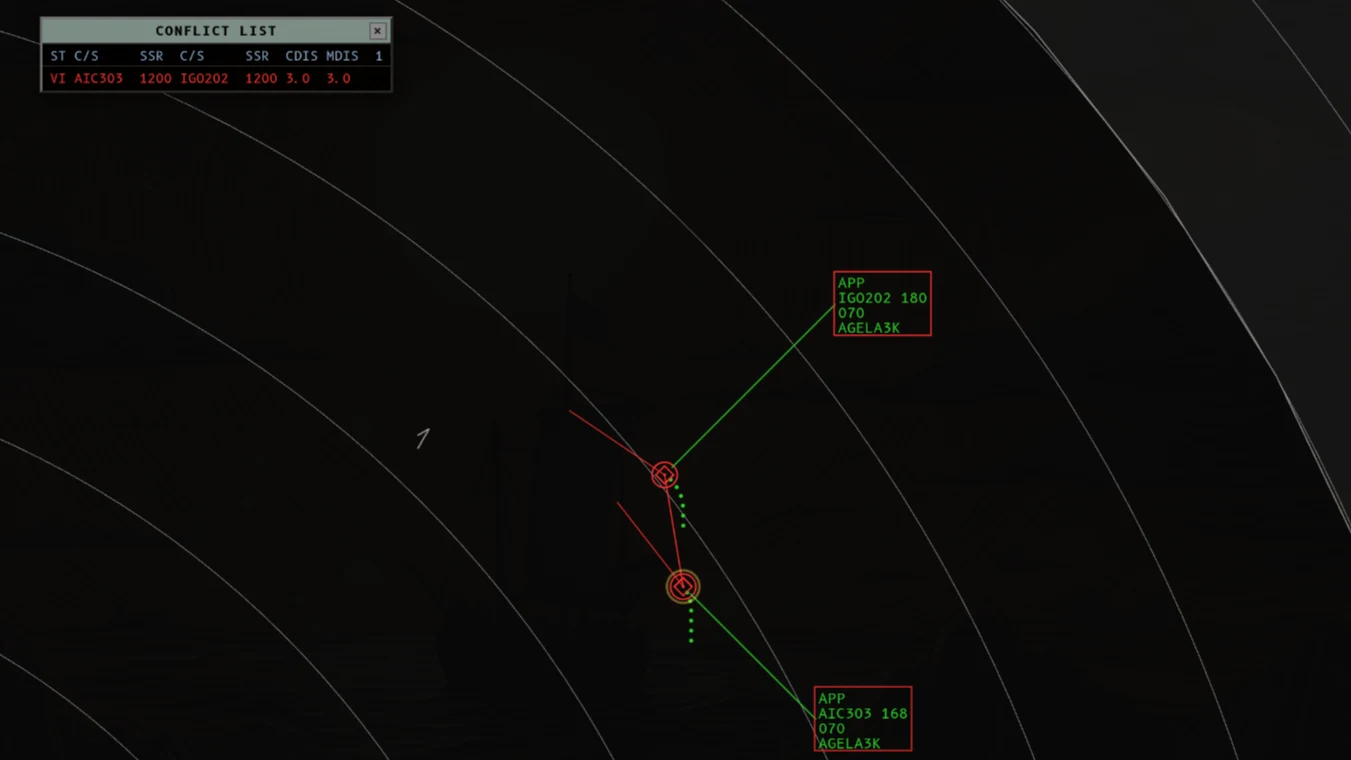
Fairly realistic representations of STARS-style and ICAO-style radar control scopes, along with a whole suite of tools has been simulated. For example ATPA cones, conflict and low-altitude alerts, J-rings, range lines and TSAS timing in the data block/ the arrival manager AMAN, inbound lists and electronic flight strips, etc.
Not every function of the real systems is simulated: only those a controller relies on most. The displays are independent recreations for simulation, built from publicly available information. They are not the real systems, and the game is not affiliated with or endorsed by the FAA, any air navigation service provider, or any manufacturer of air traffic control equipment. All trademarks belong to their owners. See all screenshots →

Aircraft fly the published procedures i.e. SIDs and STARs are flown as charted, with various restriction, speed limits and radius-to-fix arcs. Aircraft can be cleared for the Visual, ILS and RNAV approaches.
Turns onto the localizer need a proper intercept, otherwise a steep cut or a late turn overshoots it. Holds can be flown at the charted fix with the standard entries, and you can send an aircraft around on the published missed approach.

VFR traffic is part of the job. It can feel like a nuisance, but it fills a terminal controller’s day: training flights circling the local fields, cross-country pilots passing through, and pilots asking for a Class B transition or for flight following. They need traffic calls, and help getting in and out of the satellite airports around the primary field.
IFR traffic is everything from airliners and cargo to business jets, flying their recorded routes to and from the primary airport and its satellites. Military airfields and airspace appear on the scope maps but aren’t worked: no position in the game controls them.

The sectors and their boundaries are drawn after carefully studying each facility's published aeronautical information (AIP), cross-checked against recordings of the real frequencies. Exact sector lines belong to each facility and are largely not public, and they aren’t fixed: facilities split, combine and redraw them all the time to share the work, match the traffic and keep it flowing. We built ours as close to the real sectors as the public information allows, so working a position feels like the real thing. Handoffs, point-outs and satellite airports all follow them.
Four airports at launch: Las Vegas (KLAS), Portland (KPDX), Mumbai (VABB) and Madrid (LEMD). Each was chosen for its airspace and the challenges it brings. Denver (KDEN) is coming soon after launch.
Control via voice, keyboard, or both. The speech recognition understands standard controller phraseology.
Pilots and controllers are voiced by a large cast of speakers. At a Spanish or Indian facility the controllers around you speak with the local accent, and pilots sound, as far as possible, like their airline’s home country.

Start a session without picking any position, sit back and listen to the whole facility at work: controllers giving instructions and pilots reading them back. It’s a chance to hear how the real controllers might have worked the traffic.
The facility is always fully staffed. Every sector you don’t take is worked by an AI controller. Its job isn’t just to replay the recorded traffic. It keeps aircraft apart, then vectors and spaces them onto the final the way you would, and where the recording already works, it simply follows it. The AI controllers hand off, accept and point out also, so you can staff one position, several, or every one yourself.

Play a timed session of 45 minutes to two hours, or an unlimited one that runs until you stop it, carrying on into the next recorded day. The runway configuration changes during a session just as it did in the real world, so you work the switch from one flow to the other.
Scoring is optional: turn it on or off for each session. A scored session ends with a report: a grade and a timeline of what went well and what didn’t, kept in your logbook so you can look back and see where to improve.
A radar simulator of a terminal approach control position. You sit at the scope and work arrivals and departures around a major airport: take handoffs from Center, sequence and vector arrivals onto final, hand them to tower, and climb departures out through the arrivals.
The traffic is a recorded real day at the airport, replayed. Positions you don't staff are worked by AI controllers.
Las Vegas (KLAS), Portland (KPDX), Mumbai (VABB) and Madrid (LEMD), each chosen for its airspace and the challenges it brings. There are two radar displays: a STARS-style display for US airports, and an ICAO-style display for the rest of the world.
Denver (KDEN) is coming soon after launch. More airports will follow. Some may be released for free, and some may be charged. We pick them for their traffic and for what players ask for, and announce them when they're working.
Soon after release. Getting Denver (KDEN) out is our first priority once the game is on sale. It will be a free update for everyone who owns the game.
Yes. We choose new airports from what players ask for, from polls on our Discord, and from our own picks. New airports are paid add-ons, priced at no more than €10 each. Smaller facilities will be cheaper
Yes. Each airport's traffic is recorded every night and the new day is added to the archive. The archive holds the most recent three months: as each new day comes in, the oldest one drops off, so you can always pick any day from about the last three months. Recording depends on outside data sources, so we can't promise new days forever or at the same pace.
Sessions run on our servers, so playing needs an internet connection. We keep those servers running for as long as we sell the game, and will give at least 90 days' notice before ending them (see the licence agreement).
No. Hands-on tutorials on both scopes take you from reading the scope to sequencing a busy final, with a coach that checks each step as you do it. The built-in wiki explains every scope tool, command and phrase in plain language.
It doesn't simplify the job, though. Separation, wake turbulence, minimum altitudes and phraseology work the way they do for real.
No. Every instruction you can say, you can also type with the scope's keyboard entries. Most players mix both. Voice recognition runs on your own computer, with no cloud service, and pilots read back aloud.
SimMarket will be our first store, once they approve it. Steam will take longer. We'll share more about other stores, including buying from our website, later. Register on the buy page and we'll email you when it goes on sale.
One purchase, no subscription. Redeem the licence key from your purchase into your account once, then sign in on your own computers, up to 3 at once. A licence plays one session at a time. You can remove a computer from your account page whenever you replace one.
Playing needs an internet connection: your session is simulated on our game servers and streamed to the game, while voice recognition stays on your computer.